
Connect to Networked Dymo Printer
There is a networked DYMO label printer on each floor of the Civic Centre to make label printing more reliable.
Printer Locations
- Ground Floor: Located beside the back printer.
- Level 1: Located beside the Corporate Services printer.
Setup Instructions
To use the new label printers, please complete the following steps:
- Open Company Portal and install DYMO Connect.
- Launch DYMO Connect.
- Select File > Add Network Printer.
- The available printer will be displayed based on your network connection.
- Select the available printer, and in Change printer name set something meaningful, for example:
- Ground Dymo
- Level 1 Dymo
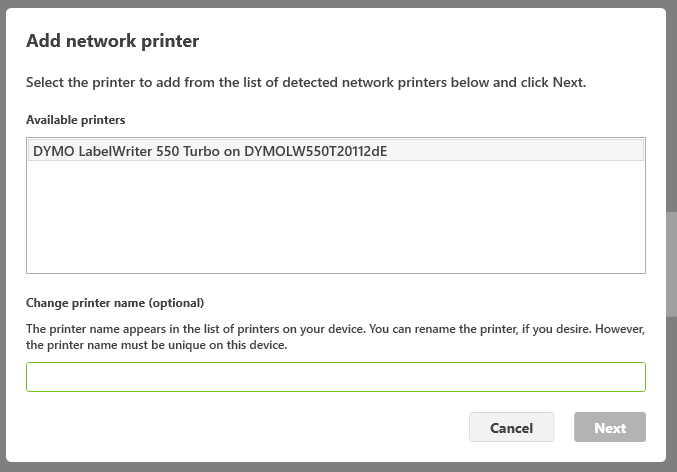
Once added, the printer will be available for label printing through DYMO Connect.
If you experience any issues installing or connecting to the printer, please email help@kingborough.tas.gov.au