
MapInfo Search Tool
This document outlines the key plugins and custom search tool available in Precisely’s MapInfo Pro environment at the council.
Location:
-
S:\GIS\MapInfo\Search Feature
Shortcut: Press Alt + P in MapInfo Pro.
Functionality:
- Opens a search dialog.
- Enter a Property ID (PID), street name, road name, CT, etc.
- Zooms the map view to the matching feature.

To enable the tool:
-
Navigate to S:\GIS\MapInfo\Search Feature.
Drag the file SearchMenu_AM.mbx into MapInfo.
In the Tools window:
-
Right-click SearchMenu_AM.mbx.
Select Register
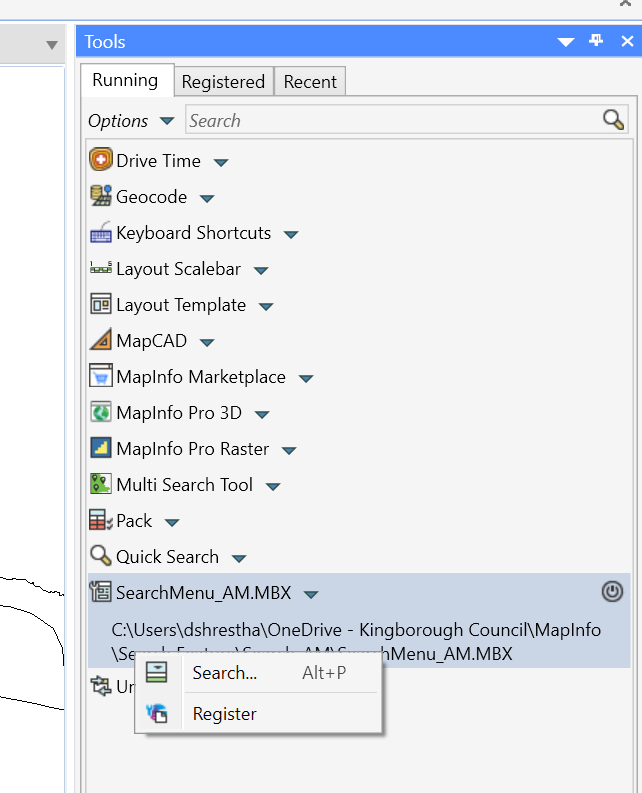
Register Search Tool -
Under Registered Tab find the registered Search Menu to tick the AutoLoad option
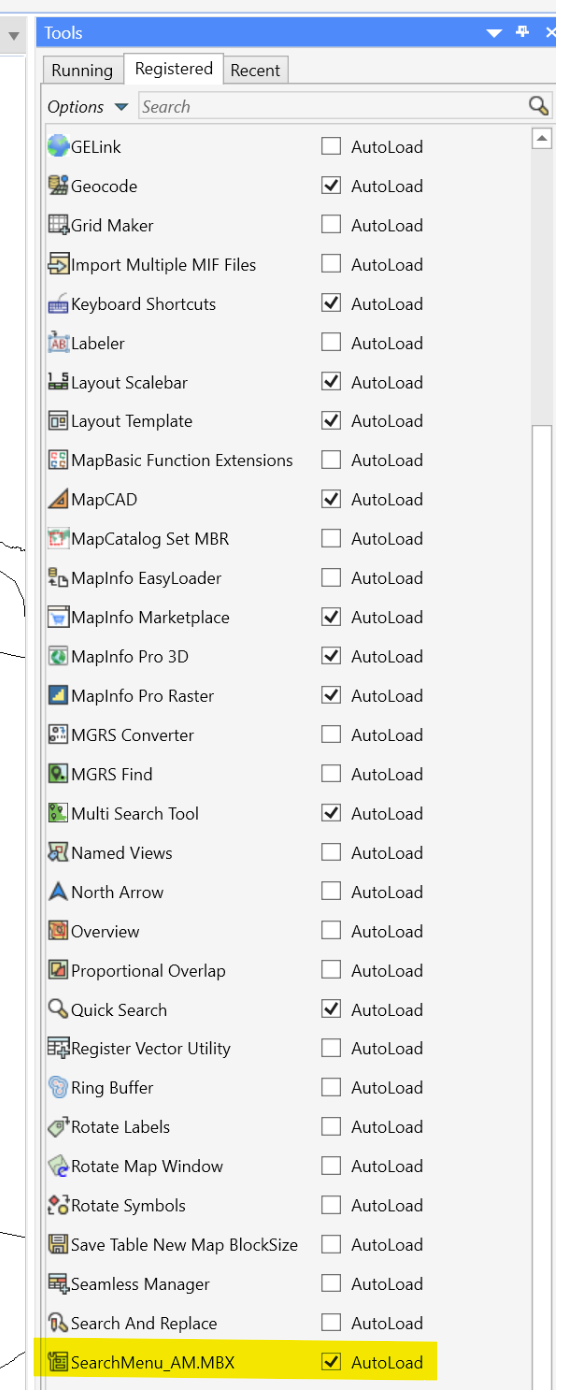
AutoLoad Search
-
-
- Once registered, pressing Alt + P will open the Search Menu.
Important Notes:
- MapInfo Pro 2023 does not include this functionality by default
- This is a custom tool