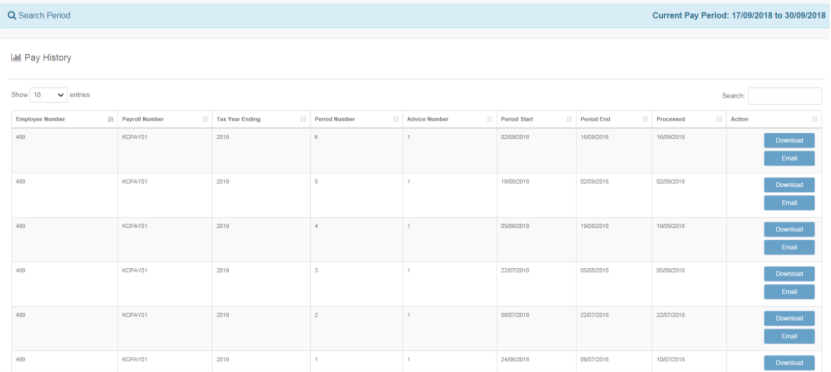
Kiosk – How to Access Your Pay Slips
1. Log in to Kiosk
To sign in:
- Open the Kiosk login page.
- Ensure Windows Authentication is selected.
- Enter your network username and password.
- Click Log In.

2. Home Screen
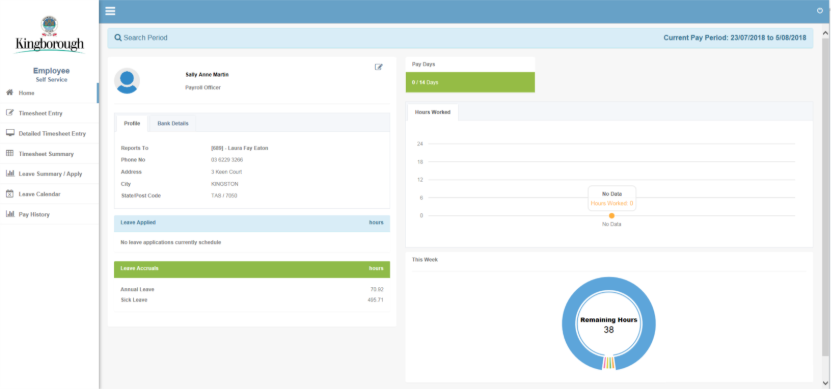
After logging in, your Home screen will display:
- Your reporting officer
- Your personal details
This provides a quick overview of your key employment information.
3. Open Pay History
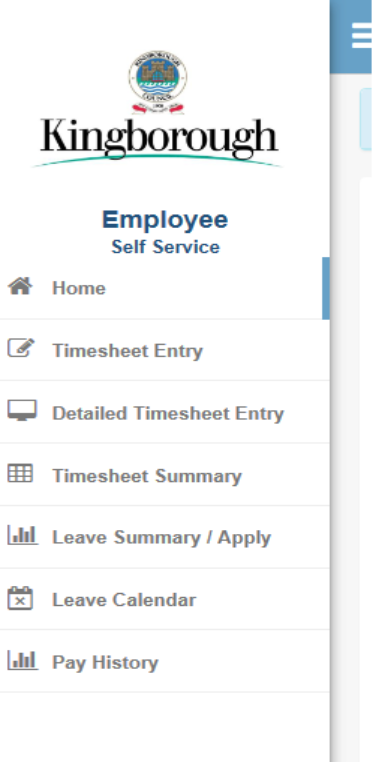
Use the navigation panel on the left and select Pay History.
This will show you a full list of pay periods available to view.
4. Download Your Pay Slip
To download a pay slip:
- Find the pay period you want.
- Click Download next to that period.
- The pay slip will save to your device.
- Open it to review or print as needed.